FitCore

FitCore / Training with a clear goal

Progress. Under control.

The app remembersweightssetsrestrecords

Programs, workouts and a history of results in one system. The trainer sees what the client actually did, not what they promised.
9:41
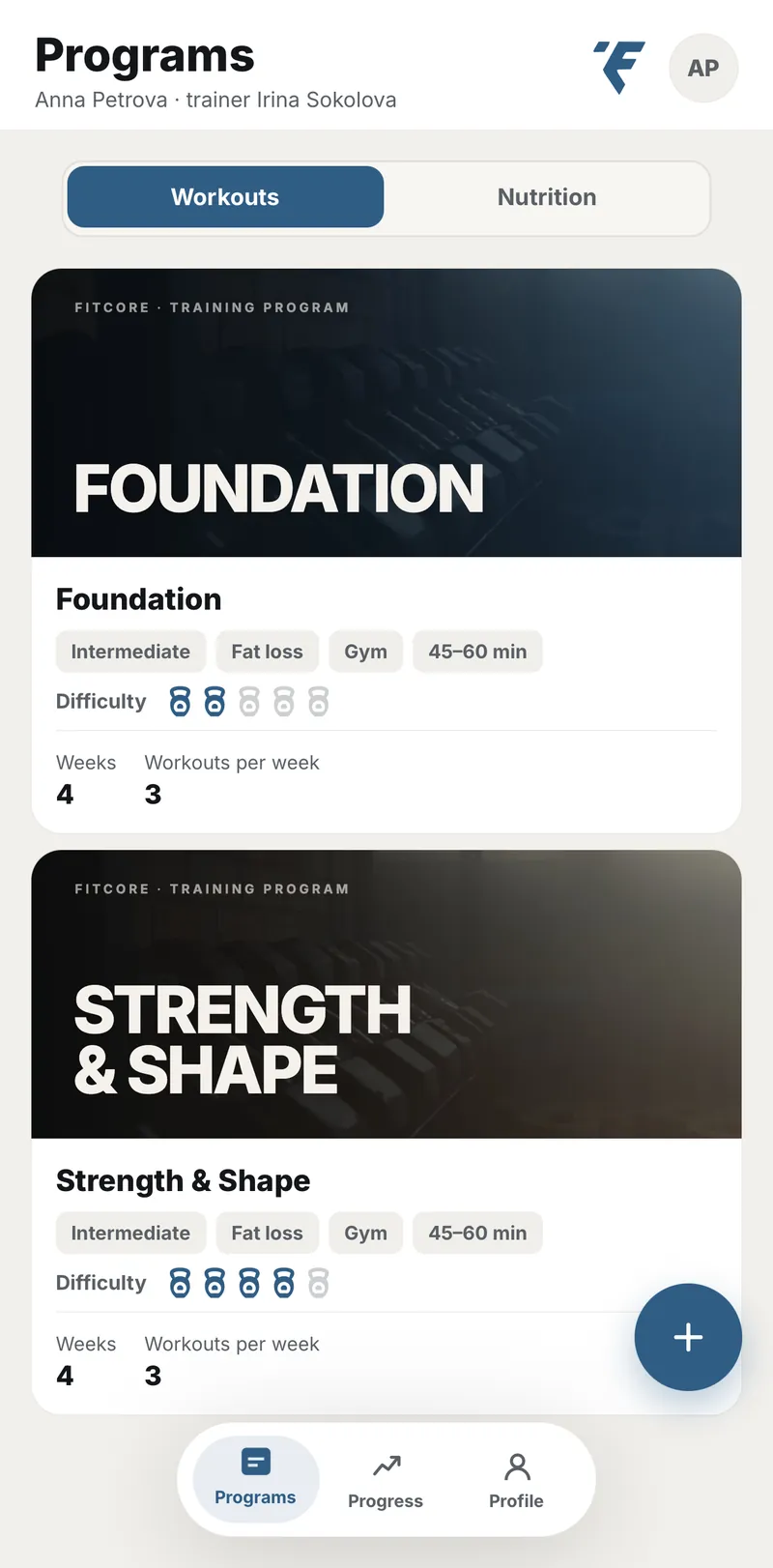
The “Programs” screen: two four-week programs, “Foundation” and “Strength & Shape”, three workouts a week each
14 groupsWeekly plan vs. actual for every muscle group
Month → dayPeriodization: month, weeks, training days
Personal bestYour heaviest confirmed set, and it never expires
OfflineOpens and shows what’s saved, even with no connection

01 / Sound familiar?

Last session’s weight? Only one of you remembers.

A spreadsheet, notes, screenshots, voice messages. By the time you find what you lifted last Tuesday, your rest between sets is over.

Before

SpreadsheetThe latest version is in someone’s chat, and maybe not yours.
Notes on your phoneThe weight is there, the exercise isn’t. Or the other way around.
Last week’s screenshotLost in your camera roll among a hundred other photos.
Voice message from your trainerFour minutes long, and the part you need is somewhere in the middle.

Nothing to search for or remember: the app already knows what you did last time.

After
9:41
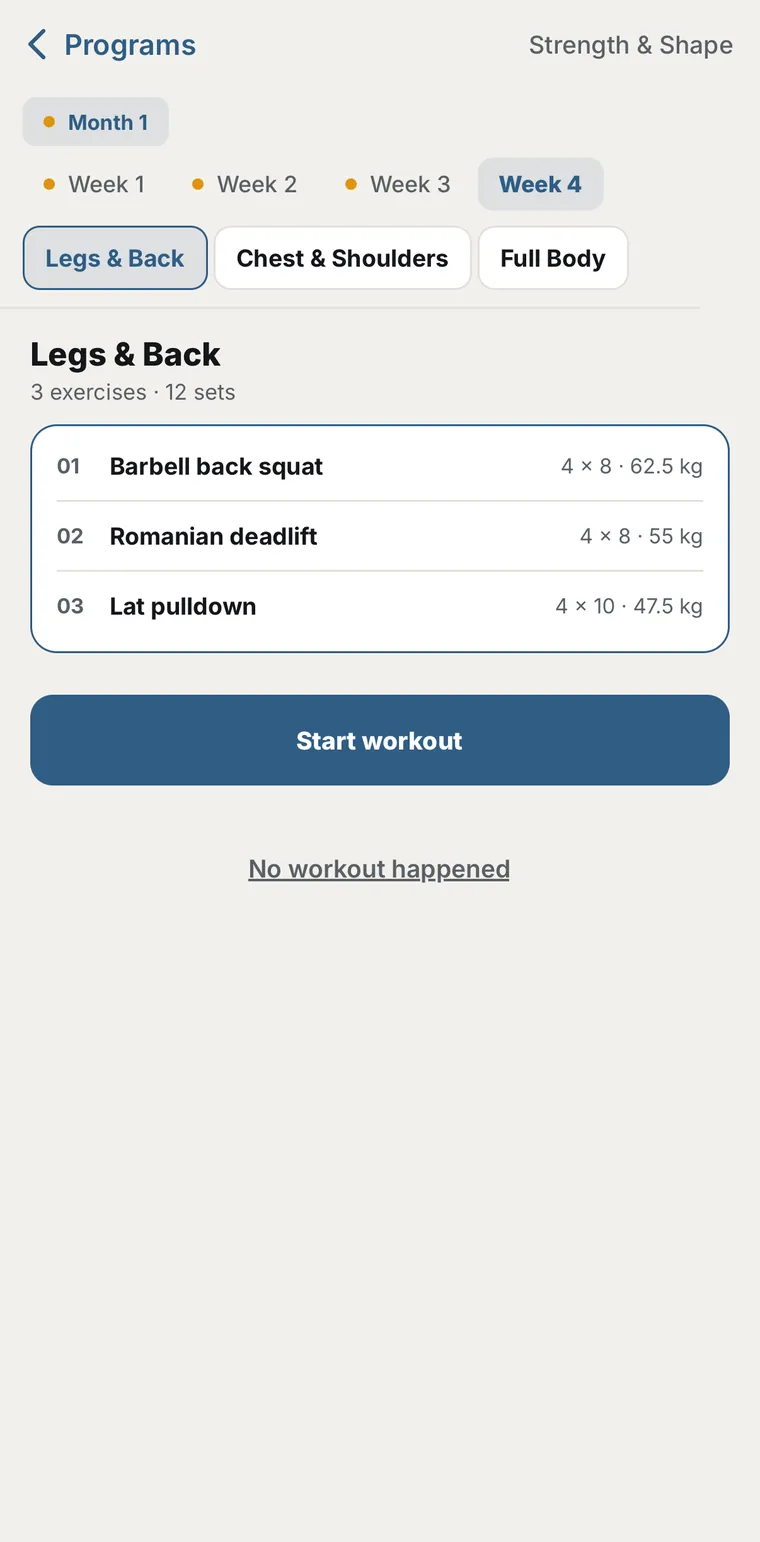
Day screen: the program’s month, weeks and days; the “Legs & Back” day has three exercises with sets, reps and working weight, and a “Start workout” button

One screen: where you are in the program, what today is, which exercises, how many sets and at what weight.

02 / Just what matters

Less chaos. More system.

The app sums up the week on its own: the trainer doesn’t have to scroll through days, and the client doesn’t have to guess what they actually did.

Discipline3 / 4 planned
Skipped by client0
Silent days2
Below rangeChest, front delts, triceps and 3 more
Not started yetLats, biceps
This is how the app sums up the week in words, with no scrolling through days.
01

Programs

A month split into weeks and days. You see the whole plan, not one workout at a time.

02

Training log

Sets, reps and working weight in one stream. Workout time in minutes.

03

Volume by group

Actual vs. the weekly plan for every muscle group. Shortfalls are spelled out, forgotten groups are listed.

04

Personal bests

Your heaviest confirmed set of all time. A new one has to be strictly heavier than the last.

05

Nutrition

The client’s meal plan sits next to their workouts, in the same app.

06

Offline

The app opens even in a gym with poor signal and shows what’s already loaded.

03 / At the gym

Tap Start. The app does the counting.

A rest timer, confirmed sets, a personal best mark right in the row. At the end comes the workout summary, and then the same work added up into your week.
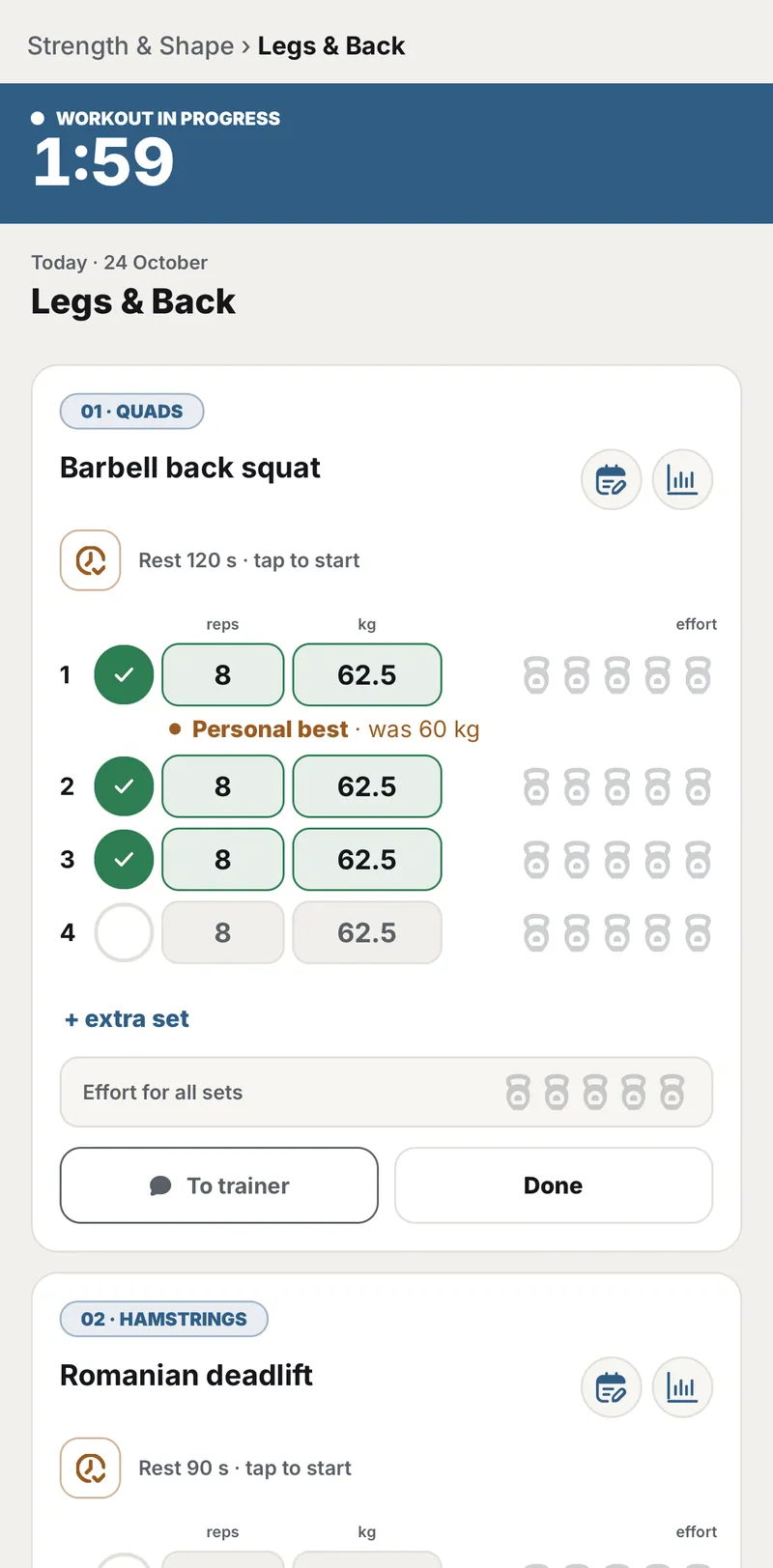
120 seconds of restThe timer starts with a tap, so there’s no need to watch the clock.
Personal bests show up right awayThe mark appears in the same row where you entered the weight.
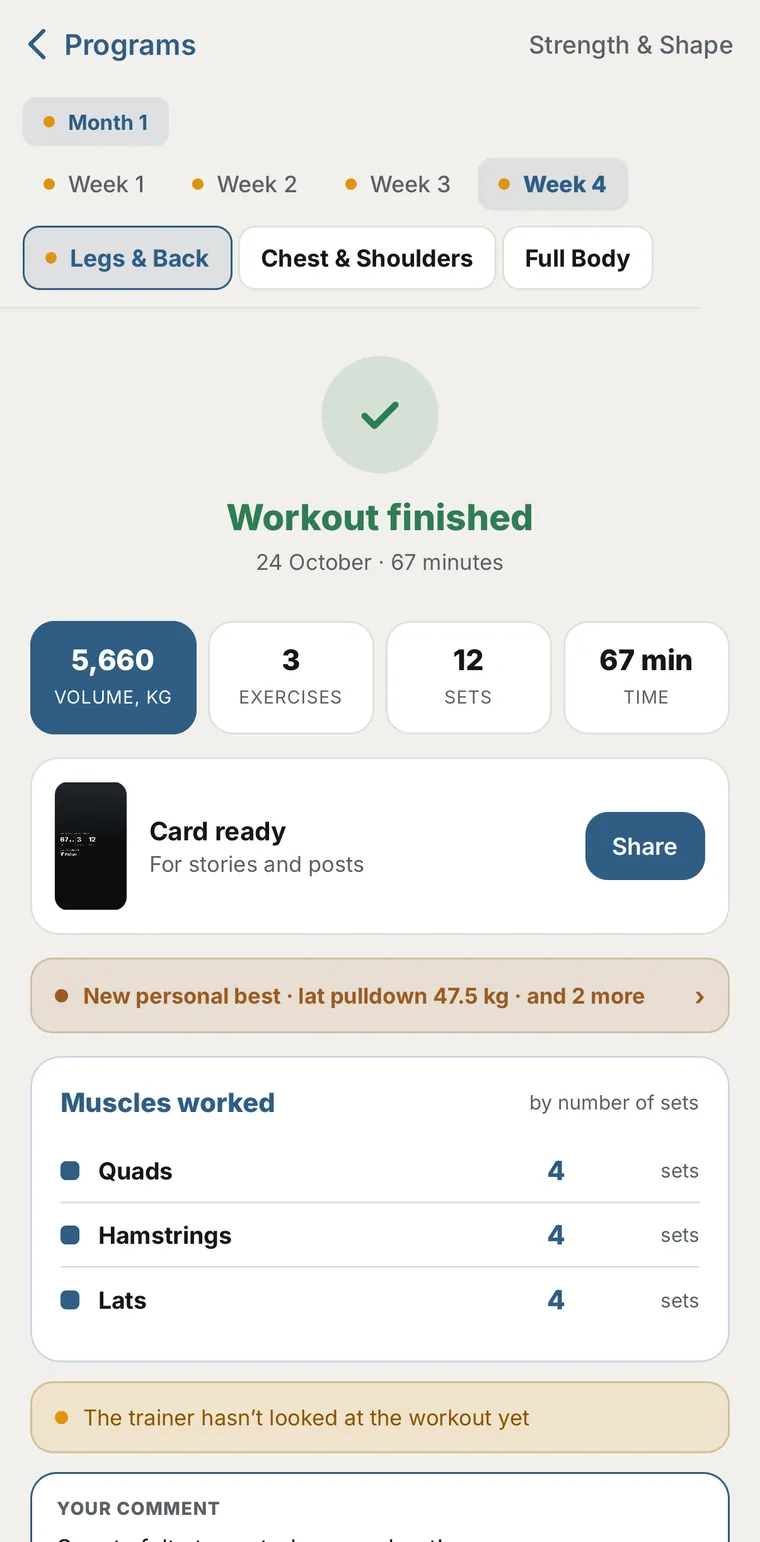
Straight into your weekThe same set counts toward your weekly volume and your personal bests.
9:41
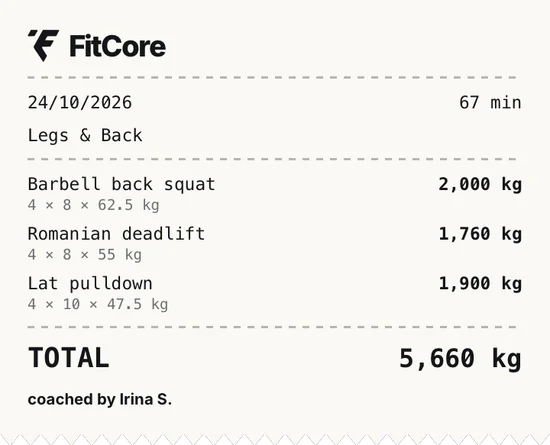
Workout in progress: timer at 1:59, “Barbell back squat”, four sets of eight reps at 62.5 kg, three confirmed, with a “Personal best · was 60 kg” mark under the first Workout summary: 5,660 kg of volume, three exercises, twelve sets, 67 minutes, a ready-made card with a “Share” button and the muscles worked

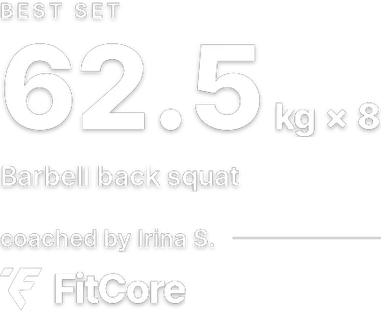
Confirm a set and the app starts your rest and marks a personal best.
9:41
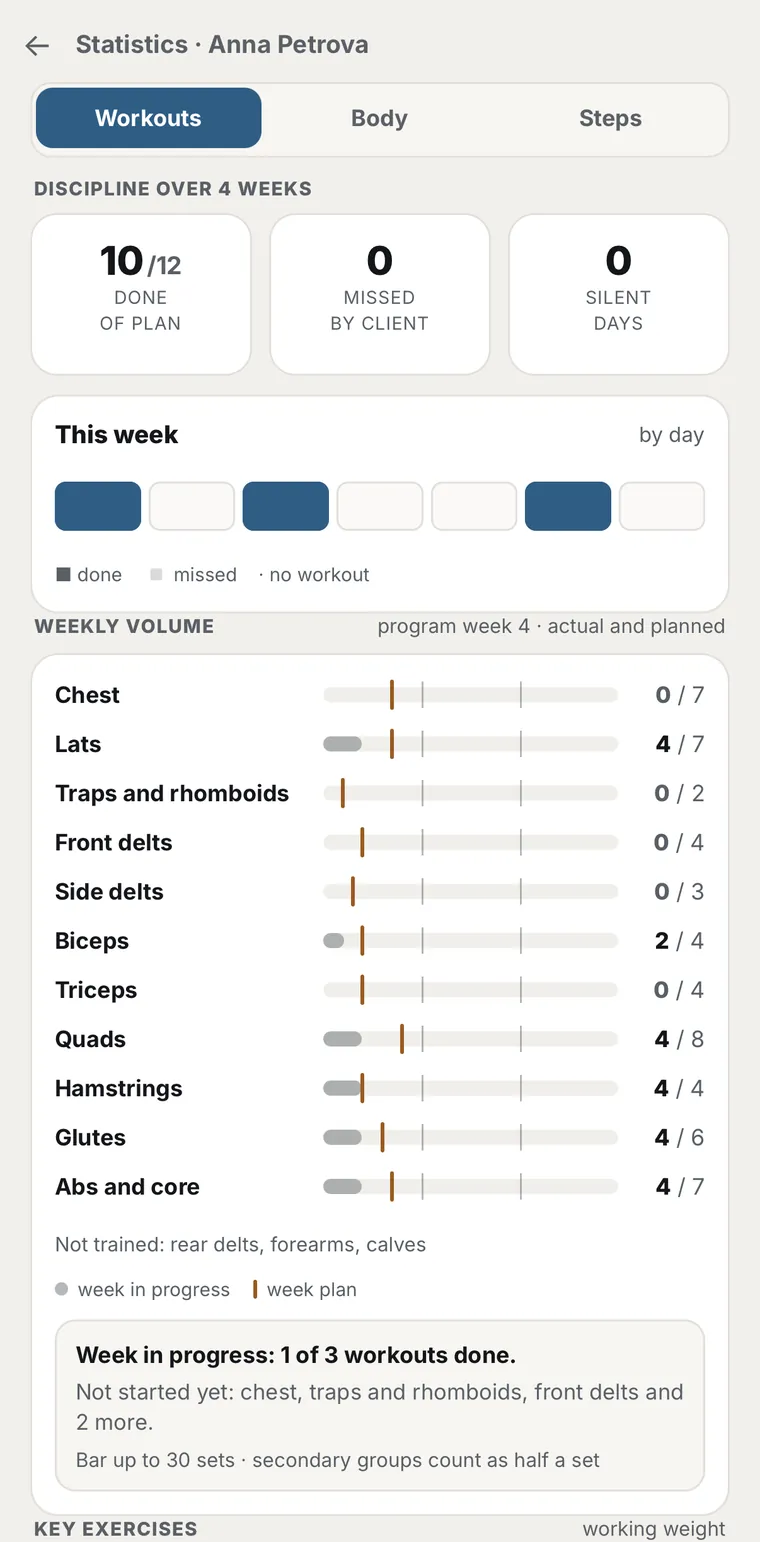
A client’s stats: ten of twelve planned workouts over four weeks, zero skipped, this week by day, and volume per muscle group as actual vs. plan

And this is the same week on the trainer’s side: what’s done from the plan, volume by group and which muscles haven’t been touched yet.

04 / See the results

Your work
becomes visible.

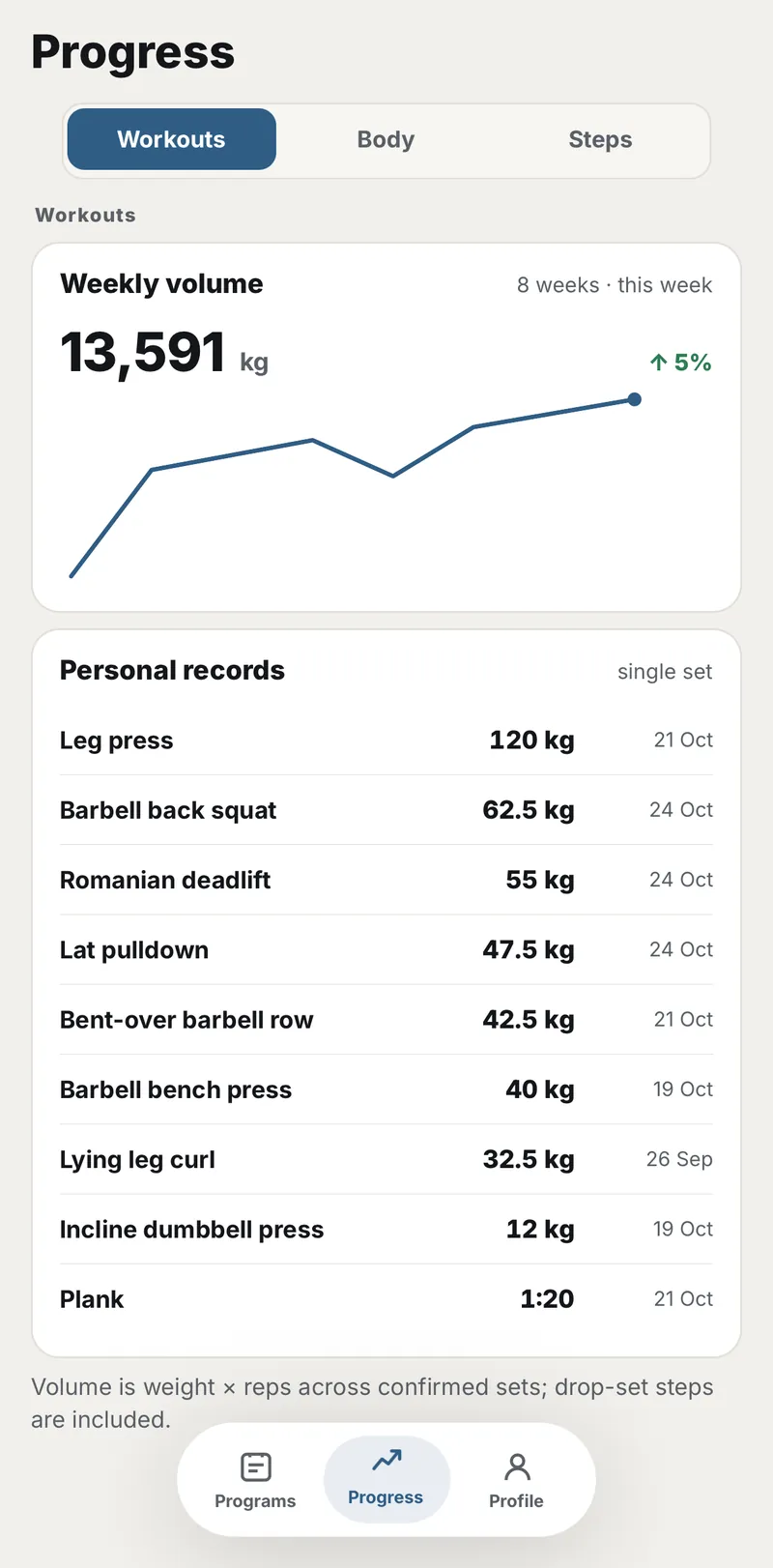
Your workout history helps you notice
your own progress and keep moving forward.

Nothing extra. Just your own path.
9:41
The “Progress” screen: weekly volume with a chart over eight weeks and single-set personal bests

05 / Two sides

One screen for the trainer. Another for the client.

It’s one app, but you each see it your own way. The trainer builds and reviews; the client trains and sees their own progress.

Trainer
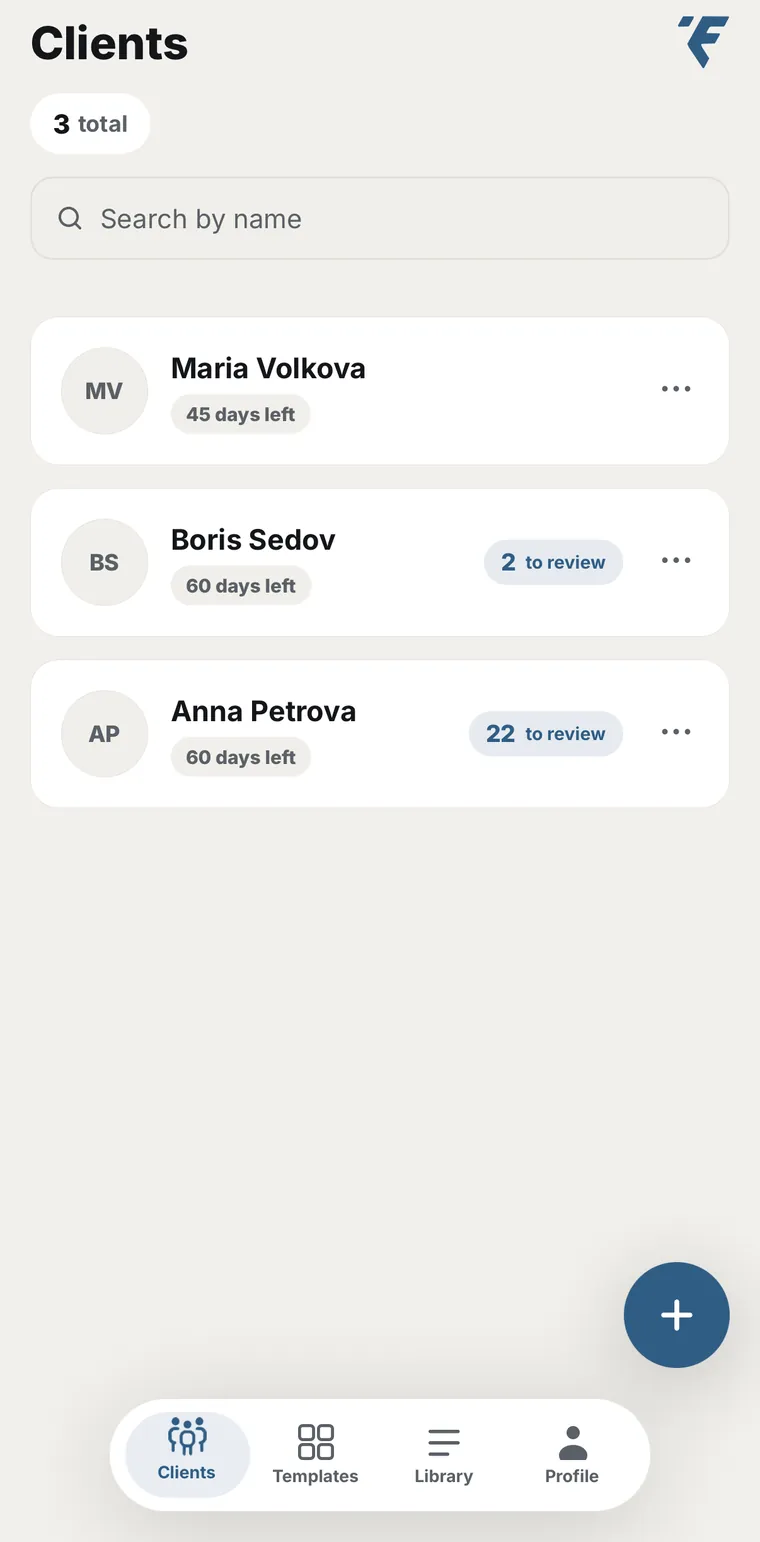
All clients in one listYou see right away how many workouts are waiting for review, without opening each client.
Client cardPrograms, nutrition and stats: everything about one person on one screen.
9:41
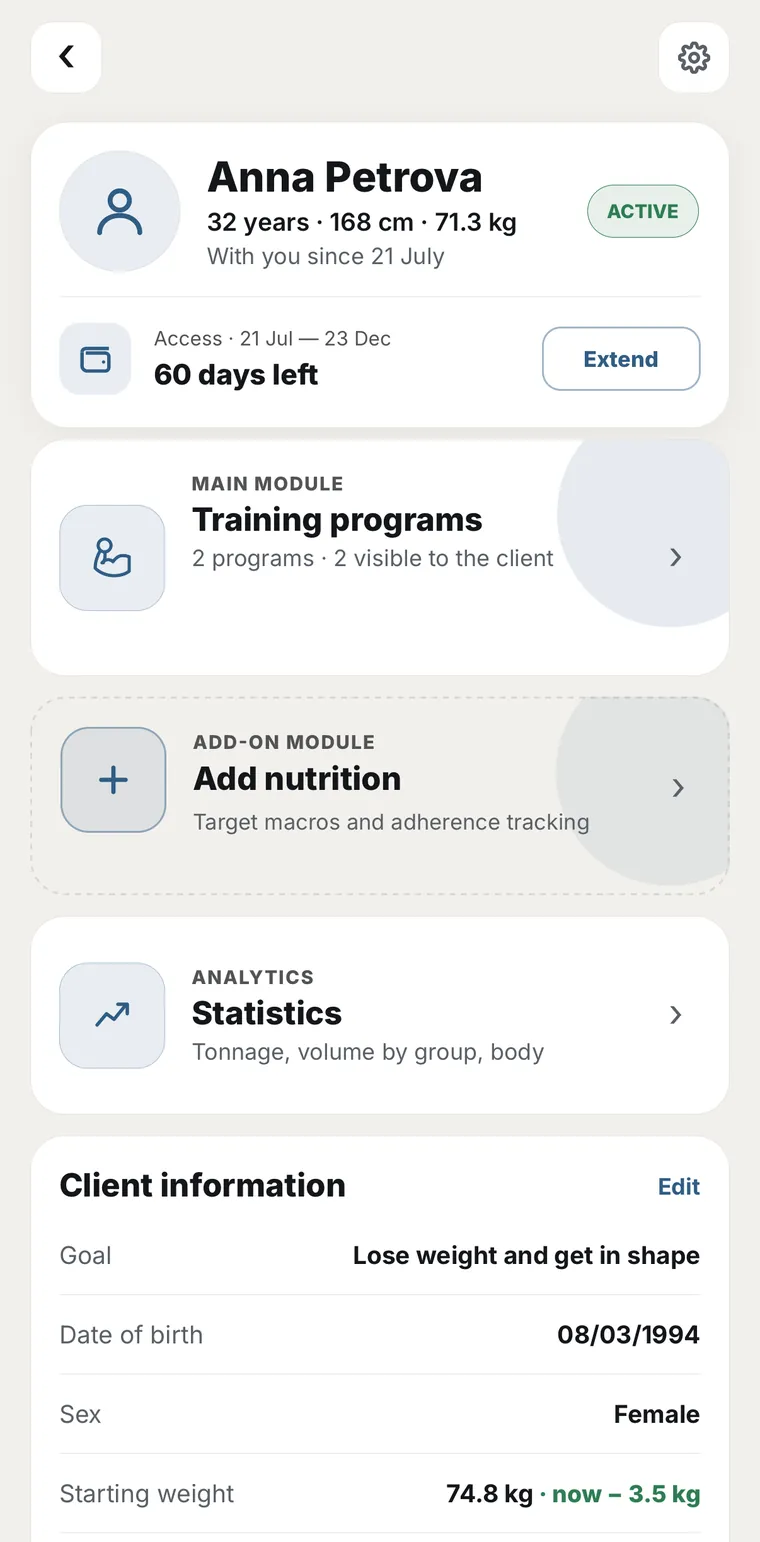
The trainer’s client list: search by name and a “22 to review” badge next to a client’s name Client card: training programs, adding a meal plan, and stats: tonnage, volume by group, body

The badge next to a name shows how many workouts are waiting for review.

Client
Workouts without guessworkToday’s plan is open, the weight is filled in, and at the end there’s a summary and a card for your stories.
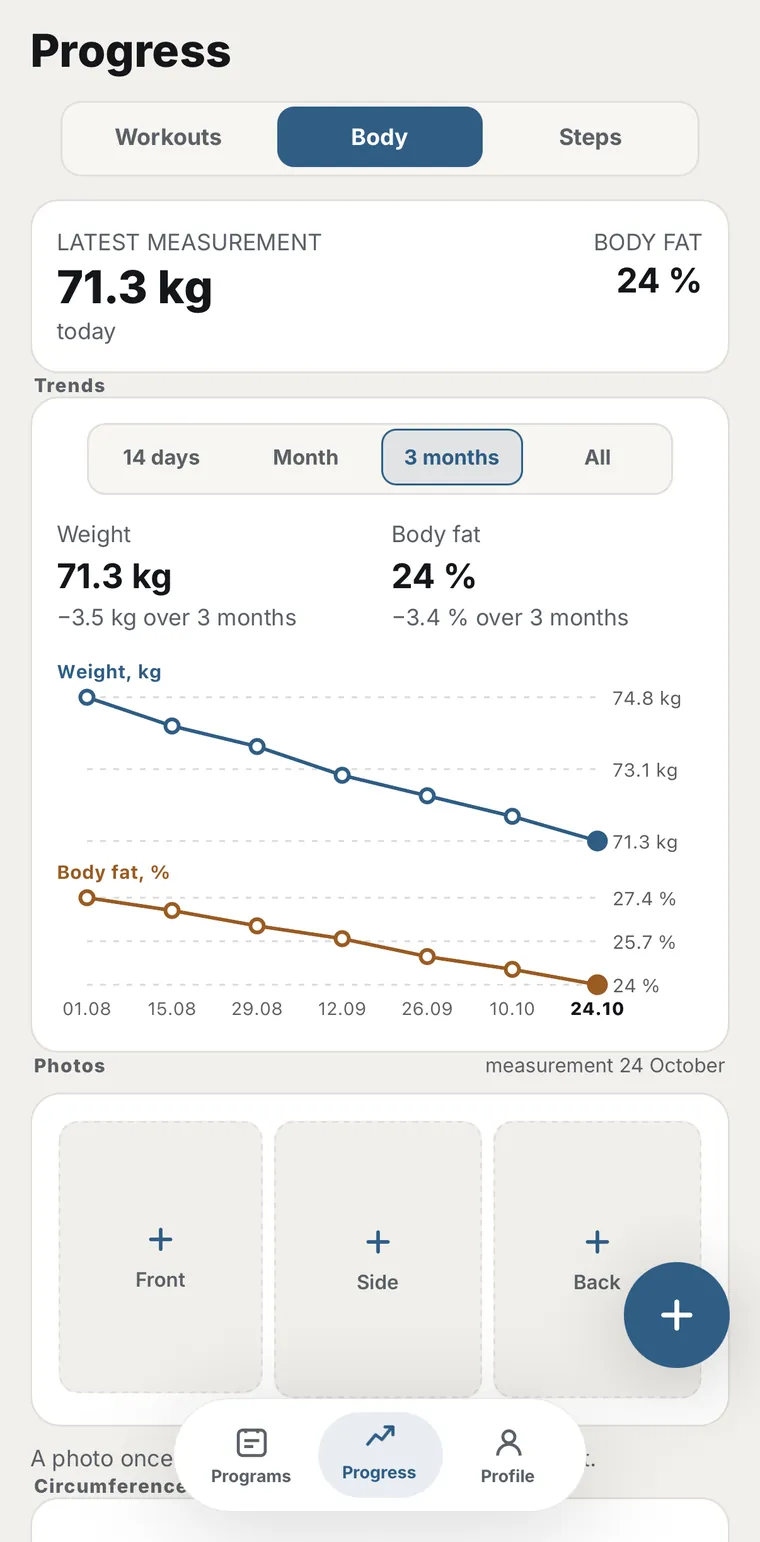
Your body on its own trackWeight, body fat and circumferences on a three-month chart, not eyeballed in the mirror.
9:41
The “Body” tab in “Progress”: latest measurement 71.3 kg and 24% body fat, weight and body fat charts over three months, and slots for progress photos

Progress photos and circumferences are visible only to a trainer you’ve given access to.

07 / Download

Train with purpose.

FitCore brings your program, workouts and progress together in one clear system.

Support
How to reach us Email support@fitcoreapp.ru, Telegram bot, common questions and response times.
Operator
Individual Entrepreneur Sheianov Aleksandr Denisovich OGRNIP 326632700150610 · INN 632417148168
Privacy policy
Read in full What data the app stores, why, and how to delete it.
User agreement
Read in full Version 11, effective 29 October 2026.
Deleting your account and data
How to do it In the app or by email, no install needed. It takes no more than 30 calendar days.
Body data and photos
Deleted as soon as consent is withdrawn Nutrition data works the same way.
Not a medical service
FitCore is a workout and nutrition log The Operator does not provide medical, therapeutic or coaching services, does not diagnose and does not guarantee results.
© 2026 FitCoreTraining with a clear goal